Breaking News

Wi-Fi news from Intel

TL;DR

I pay for 1.0 gigabit broadband at home. Like many consumers, I assumed that meant my laptop should be able to enjoy near-gigabit speeds throughout the house.

I was wrong.

During a weekend of real-world Wi-Fi testing in my family’s Scottsdale, Arizona home, I discovered that the broadband speed you pay for and the Wi-Fi performance you actually experience can be two very different things. Near the router, most modern Wi-Fi solutions performed well. But as I moved farther away – through walls, across bedrooms, onto the patio, and eventually behind a suspicious built-in wine closet – the differences became dramatic.

The biggest takeaway of the testing was clear: PCs equipped with premium Intel Wi-Fi 7 solutions that support the 6 GHz band and 320 MHz channels delivered the strongest performance across the home and provided the headroom needed to help users get more of the broadband speed they already pay for.

And yes, in one room, the villain may have been Cabernet Sauvignon.

The Question That Started It All

If I have 1.0 gigabit broadband service at home, why should I choose a laptop PC with a premium Intel Wi-Fi 7 card capable of 5 Gig speeds instead of a PC with a legacy or value Wi-Fi solution that also supports data rates greater than 1,000 Mbps?

On paper, it is a fair question.

If the broadband connection coming into the home is capped at around 1,000 Mbps, and the data rates of several Wi-Fi options can exceed that number, shouldn’t they all deliver roughly the same real-world experience?

That was exactly what I wanted to find out.

The short answer: when you are very close to the router, many solutions can look similar. But as distance, walls, layout, interference, and real home conditions enter the picture, performance starts to separate quickly.

The longer answer became a weekend-long experiment involving eight test locations, multiple Intel Wi-Fi cards, dozens of Ookla SpeedTest runs, one irritated family, one vindicated teenage gamer, and one very suspicious wine closet.

1. The Inspiration: Wi-Fi 7 Looks Great in a Trial, But What About My House?

In 2025, the Wireless Broadband Alliance, CableLabs, and Intel collaborated on an extensive Wi-Fi 7 residential performance trial. The trial used commercially available consumer Wi-Fi routers and an Intel processor-based laptop PC equipped with Intel Wi-Fi solutions in a real single-family test house. The results were impressive: Wi-Fi 7 delivered higher throughput across the home, including approximately 3.7 Gbps in the home office and roughly 1.5 Gbps in the basement – a location where other legacy Wi-Fi options had no connectivity at all.

carlosjaguirre_0-1783806084958.png

WBA Wi-Fi 7 residential trial results


As someone in the connectivity industry, I thought the results were exciting.

As a consumer, I had a different reaction: That is impressive – but what would happen in my house?

The WBA trial was performed by professional wireless experts using sophisticated tools in a controlled and isolated environment. Most consumers do not live in test houses. Most people I know are not running unconstrained multi-gigabit networks. And while speeds like 3.7 Gbps and 1.5 Gbps are technically exciting, many households today still subscribe to broadband plans closer to 1.0 Gbps.

So, I decided to run my own experiment. Not in a lab. Not on an isolated lot. Not with specialized enterprise-grade test tools. I wanted to test Wi-Fi the way a real family experiences it: in our actual home, with neighbors nearby, using our personal Wi-Fi network, public tools, and our 1.0 Gbps broadband service.

2. Why This Question Matters More Than Ever

Gigabit broadband is no longer a luxury reserved for early adopters. Across the U.S., faster residential broadband has become more accessible and more affordable. At the same time, household connectivity demand continues to climb. Families are working, learning, streaming, gaming, videoconferencing, sharing media, backing up files, and connecting more devices than ever before.

According to the National Cable & Telecommunications Association, the average U.S. home has about 25 connected devices today, and that number is expected to grow to 44 by 2030. In my own family’s case, with three active children, our home Wi-Fi network already has about 50 connected devices – including computers, tablets, phones, watches, smart TVs, appliances, thermostats, cameras, and even our dog, Gaucho.

carlosjaguirre_1-1783808480372.png

Gaucho, our connected dog

Omdia has also projected that nearly 60% of residential households will subscribe to gigabit-or-higher service by 2030, up from roughly one-third in 2025. In other words, more families will soon be paying for gigabit broadband – and expecting that speed to show up where they actually use their devices.

That is where the real question begins. Because buying gigabit broadband is only step one. The bigger question is: how much of that speed actually reaches your laptop in the places where you work, stream, game, and live?

3. The Big Question: Does Faster PC Wi-Fi Matter If Broadband Is Capped at 1 Gig?

For my test, I compared several PC Wi-Fi options that all support peak data rates above 1,000 Mbps on paper:

Technology Band / Channel Peak Data Rate
Wi-Fi 6 5 GHz / 80 MHz 1,201 Mbps
Wi-Fi 7 5 GHz / 80 MHz 1,441 Mbps
Wi-Fi 6E 6 GHz / 160 MHz 2,402 Mbps
Wi-Fi 7 6 GHz / 160 MHz 2,882 Mbps
Wi-Fi 7 6 GHz / 320 MHz 5,765 Mbps


At first glance, every one of these should be fast enough for a 1.0 Gbps broadband connection.

But Wi-Fi does not happen on paper.

Wi-Fi happens through walls. Around furniture. Across hallways. Outside on patios. Near appliances. Inside homes full of people, devices, and unexpected obstacles.

So I wanted to answer the question in the most practical way possible: when the broadband pipe is capped at 1.0 Gbps, does a premium Intel Wi-Fi 7 solution still make a meaningful difference in the real world?

4. Phase 1: The Aguirre Home Gigabit Experiment

Our home is a roughly 5,000-square-foot, single-level house in Scottsdale, Arizona. The main Wi-Fi 7 router sits in the kitchen pantry, where the home’s wiring is concentrated. For the test, I used the publicly available Ookla SpeedTest application and installed Intel Wi-Fi cards from multiple generations in the same laptop PC so I could compare relative performance under similar conditions.

I tested Wi-Fi 6, Wi-Fi 6E, and Wi-Fi 7 technologies across 5 GHz and 6 GHz bands, using 80 MHz, 160 MHz, and 320 MHz channel configurations. I selected eight locations around the house, including an outdoor patio, and averaged the top five download speed results for each test case.

What began as a simple curiosity quickly turned into a full weekend project. After repeated speed tests, Wi-Fi card swaps, and requests that nobody in the family use the network until I was finished, I became – briefly – the least popular person in the house. But the results were worth it.

carlosjaguirre_2-1783808535046.png

Aguirre home test floor plan

The floor plan shows the eight test locations. It also highlights the kitchen pantry where the router sits, the outdoor patio, and the built-in wine closet in the family room. At the beginning of the experiment, the wine closet seemed like an irrelevant architectural detail. By the end, it had become a prime suspect.

4.1 Kitchen: 6 Feet, Line of Sight

The first test location was in the kitchen, only about six feet from the Wi-Fi router in the pantry, with the pantry door closed. This was the easiest possible scenario: very short distance, line of sight, and minimal obstruction.

As expected, all PC Wi-Fi options performed well here. Each delivered speeds close to the maximum practical limit of our 1.0 Gbps broadband service. None exceeded roughly 950 Mbps because of normal networking overhead, but the 6 GHz solutions were slightly faster overall.

carlosjaguirre_14-1783809681810.png

Kitchen speed test results

4.2 Home Office: 36 Feet, 2 Walls

The second location was my home office, where I spend a lot of time on video calls, cloud tools, file transfers, and day-to-day work. This was also the room that originally made me question whether I was getting the broadband performance I was paying for.

In this room, the benefits of Wi-Fi 7 at 6 GHz with 320 MHz channels started to show. The 6 GHz / 320 MHz Wi-Fi 7 solution reached 937 Mbps – very close to the 950 Mbps maximum measured in the kitchen. Other 6 GHz solutions also performed better than the 5 GHz / 80 MHz options, but the 6 GHz / 320 MHz Wi-Fi 7 result was nearly twice as fast as the older Wi-Fi 6 configuration.

carlosjaguirre_13-1783809624297.png

Office speed test results

4.3 Bedroom 2: 51 Feet, 3 Walls

The third test location was my daughter Isabella’s room, about 51 feet away from the router and separated by three walls. Here, the home started to behave less like a spec sheet and more like a real-world Wi-Fi environment.

Most Wi-Fi options struggled, delivering roughly 200 to 300 Mbps – far below the 950 Mbps maximum observed near the router. But the 6 GHz / 320 MHz Wi-Fi 7 solution delivered more than 600 Mbps, roughly two to three times faster than the alternatives.

carlosjaguirre_12-1783809592462.png

Bedroom 2 speed test results

4.4 Primary Bedroom: 33 Feet, 2 Walls

The fourth test location was the primary bedroom, which sits closer to the router and has fewer obstructions. Here, the results improved significantly.

The 6 GHz / 160 MHz Wi-Fi 6E and Wi-Fi 7 solutions delivered speeds close to 900 Mbps, outperforming the 5 GHz / 80 MHz options, which landed in the 600 to 700 Mbps range. The 6 GHz / 320 MHz Wi-Fi 7 card reached 946 Mbps – essentially the same practical maximum observed in the kitchen.

carlosjaguirre_11-1783809563140.png

Primary bedroom speed test results

4.5 Patio: 42 Feet, 2 Walls, Outside

Next, I stepped outside to the patio. This location matters because outdoor connectivity has become part of the modern home experience: music by the pool, video calls from the backyard, sports outside, and sometimes work from the patio – although in Scottsdale, that last use case depends heavily on the season.

The 5 GHz / 80 MHz Wi-Fi options delivered about 300 to 400 Mbps. The 6 GHz / 160 MHz solutions improved that to roughly 500 to 600 Mbps. But the 6 GHz / 320 MHz Wi-Fi 7 card delivered more than 800 Mbps, about two to two-and-a-half times faster than the 5 GHz / 80 MHz options.

carlosjaguirre_10-1783809518898.png

Patio speed test results

4.6 Family Room: 48 Feet, Line of Sight

After testing outside, I moved back indoors to the family room. This location was 48 feet from the router, but with a relatively open line of sight.

The results were strong. The 6 GHz / 160 MHz solutions nearly reached 900 Mbps, outperforming the 5 GHz / 80 MHz options. Once again, the 6 GHz / 320 MHz Wi-Fi 7 card delivered the best result, reaching 943 Mbps – nearly identical to the maximum measured near the router.

carlosjaguirre_8-1783806085011.png

Family room speed test results

4.7 Bedroom 3: 66 Feet, 2 Walls

The seventh test location was my son Frankie’s room, 66 feet from the kitchen router and behind two walls. Given the distance, I had modest expectations.

Instead, the results were surprisingly good. Most options delivered between 500 and 700 Mbps. But the 6 GHz / 320 MHz Wi-Fi 7 card exceeded 900 Mbps, coming impressively close to the 950 Mbps practical maximum measured next to the router.

carlosjaguirre_9-1783806085015.png

Bedroom 3 speed test results

4.8 Bedroom 4: 78 Feet, 4 Walls

The eighth and final test location was my son Carlos Jr.’s room. It was the farthest location from the router – 78 feet away – and had the most obstructions, with four walls in the signal path.

After seeing more than 900 Mbps in the neighboring bedroom, I expected decent performance. Instead, the results were shocking. No Wi-Fi solution exceeded 200 Mbps. The 6 GHz / 320 MHz Wi-Fi 7 card still delivered the best result at 194 Mbps, but the overall performance was far below every other room tested. Something was different here. And that something needed an explanation.

carlosjaguirre_10-1783806085021.png

Bedroom 4 speed test results

Phase 1 Summary: The Performance Gap Gets Wider as Once You Leave the Kitchen

When all eight locations were combined, the pattern was clear. In nearly every test location, the 6 GHz Wi-Fi options outperformed the 5 GHz alternatives. The 6 GHz / 320 MHz Wi-Fi 7 solution delivered the best overall performance across the home and often did so by a considerable margin.

The only exception was the farthest and most challenging location, where newer Wi-Fi 6E and Wi-Fi 7 cards operating in 5 GHz / 80 MHz mode outperformed their 6 GHz / 160 MHz configurations. My assumption is that, in that extreme location, the propagation advantage of 5 GHz began to outweigh the channel-width advantage of 6 GHz / 160 MHz. However, the 6 GHz / 320 MHz Wi-Fi 7 solution still performed best overall because its much larger channel size provided a significant data advantage.

carlosjaguirre_11-1783806085025.png

Phase 1 combined results


So, returning to the original question: If I have 1.0 gigabit broadband, why should I choose a PC with a premium Intel Wi-Fi 7 solution?

Because near the router, many Wi-Fi solutions may look good enough. But real homes are not built around routers.

As distance and obstacles increase, the ability to maintain speeds close to the broadband maximum becomes much more difficult. My testing showed that the Intel Wi-Fi 7 solution supporting 6 GHz and 320 MHz channels provided the performance headroom needed to help deliver more of the broadband speed I was already paying for across more of my home.

But the story was not over. There was still one mystery left to solve.

5. Phase 2: The Mystery of the Missing Megabits

The main technical question had been answered, but I could not stop thinking about the final test location. Why was Carlos Jr.’s room so much worse than the bedroom right next to it?

This mattered because Carlos Jr. is an avid online PC gamer. For years, he had complained about poor Wi-Fi performance in his room. Like many parents, I was skeptical. “The Wi-Fi is fine,” I would tell him. After all, I was paying for gigabit broadband. As it turns out, he may have been right all along.

The timing of my test project happened to coincide with his birthday, so I promised to finally investigate. Looking back at the floor plan, one detail suddenly stood out. Directly between the kitchen pantry router and Carlos Jr.’s room sits our built-in wine closet.

At first, the idea sounded ridiculous. Could a collection of glass bottles filled with liquid really be sabotaging Wi-Fi performance?

After a quick online search, I confirmed that in fact, liquids can interfere with Wi-Fi signals because radio waves are electromagnetic energy, and water molecules can absorb that energy. Wine, inconveniently for my son’s gaming performance, is mostly water.

My son’s greatest online gaming enemy may not have been lag. It may have been Cabernet Sauvignon.

5.1 The Birthday Gift: A Wi-Fi 7 Satellite Extender

At this point, I had three options:

  • Apologize to my son and tell him to use his laptop in another room.
  • Empty the wine closet and move all the bottles somewhere else.
  • Find a better networking solution.

For his birthday, I chose option three. I purchased a second high-end Wi-Fi 7 gaming router to use as a satellite extender. My son and I placed it in an adjacent room with a clearer path back to the main router, avoiding the direct signal path through the wine closet.

carlosjaguirre_12-1783806085043.png

Wi-Fi 7 extender setup


The next question was which wireless backhaul link to use between the satellite and the main router.

My initial instinct was to use a 6 GHz / 320 MHz backhaul link because that seemed like the fastest and most obvious choice. Initial testing showed a major improvement: all PC client Wi-Fi types jumped to roughly 700 to 800 Mbps, compared with less than 200 Mbps before the satellite.

That was already a big win. But in our house, apparently, big win was not enough. Carlos Jr. could not accept that his younger brother Frankie, in the bedroom next door, was still getting more than 900 Mbps.

So the optimization continued. We theorized that the satellite may have been spending too much 6 GHz airtime communicating with both the PC client and the main router over the same radio. To test that theory, we changed the backhaul link to 6 GHz / 160 MHz. Unfortunately, that made 6 GHz PC client performance worse, with speeds around 500 Mbps, because the same 6 GHz radio was still sharing airtime between client and backhaul – now with narrower channels.

Finally, we changed the backhaul to a 5 GHz / 80 MHz link. This caused 5 GHz PC client speeds to drop to around 400 Mbps, which was still nearly three times better than the pre-satellite performance. But the biggest benefit was that 6 GHz PC client connections were now freed up. With the satellite using 5 GHz for backhaul, the 6 GHz / 160 MHz and 6 GHz / 320 MHz PC client speeds exceeded 920 Mbps – very close to the maximum gigabit broadband speeds measured near the router.

The final configuration delivered exactly what we wanted. Carlos Jr. got the gaming-room Wi-Fi performance he had been asking for. Frankie’s room still performed well. And I did not have to move several cases of wine.

Phase 2 Summary: Sometimes the Best Wi-Fi Upgrade Is Also a Peace Treaty

The second phase of testing confirmed that a PC with a premium Intel Wi-Fi 7 solution can make a major difference – and that a Wi-Fi 7 extender can help solve difficult home-layout challenges when needed.

carlosjaguirre_13-1783806085047.png

Phase 2 extender results


In the original problem room, performance improved from below 200 Mbps to more than 920 Mbps for 6 GHz client connections after adding the satellite extender and selecting the right backhaul configuration.

That is the difference between “Why is the Wi-Fi so bad?” and “Everyone can finally stop complaining.” At least about Wi-Fi.

Final Takeaway: Broadband Speed Is Only Half the Story

Before this project, I understood intellectually that Wi-Fi performance depends on more than broadband speed. After this project, I experienced it in most of the rooms of my house.

Near the router, most modern PC Wi-Fi solutions were able to approach the practical limit of my 1.0 Gbps broadband service. But as I moved farther away – through walls, across bedrooms, outside to the patio, and around unexpected obstacles – the performance gap widened.

The Intel Wi-Fi 7 solution supporting 6 GHz and 320 MHz channels consistently delivered the strongest overall results and often maintained speeds much closer to the maximum broadband performance available in my home. In the most challenging room, adding a Wi-Fi 7 extender and optimizing the backhaul created a dramatic improvement.

So, if you are paying for gigabit broadband, the question is not just whether your router or internet plan is fast enough. The question is whether your PC can actually take advantage of that speed where you use it.

The broadband speed you pay for enters your home at one location. However, your actual Wi-Fi experience must follow you everywhere else.

And in my house, that journey went through eight rooms, three Intel Wi-Fi cards, one impatient family, one very happy teenage gamer, and one wine closet that will forever be viewed with suspicion.

In the end, everyone won. My work setup improved. My kids got better Wi-Fi. My son’s gaming room was finally redeemed. And after an entire weekend of testing, troubleshooting, and chasing megabits across the house, I was finally able to retire from my role as amateur network engineer, pour a well-earned glass of wine, and enjoy it.

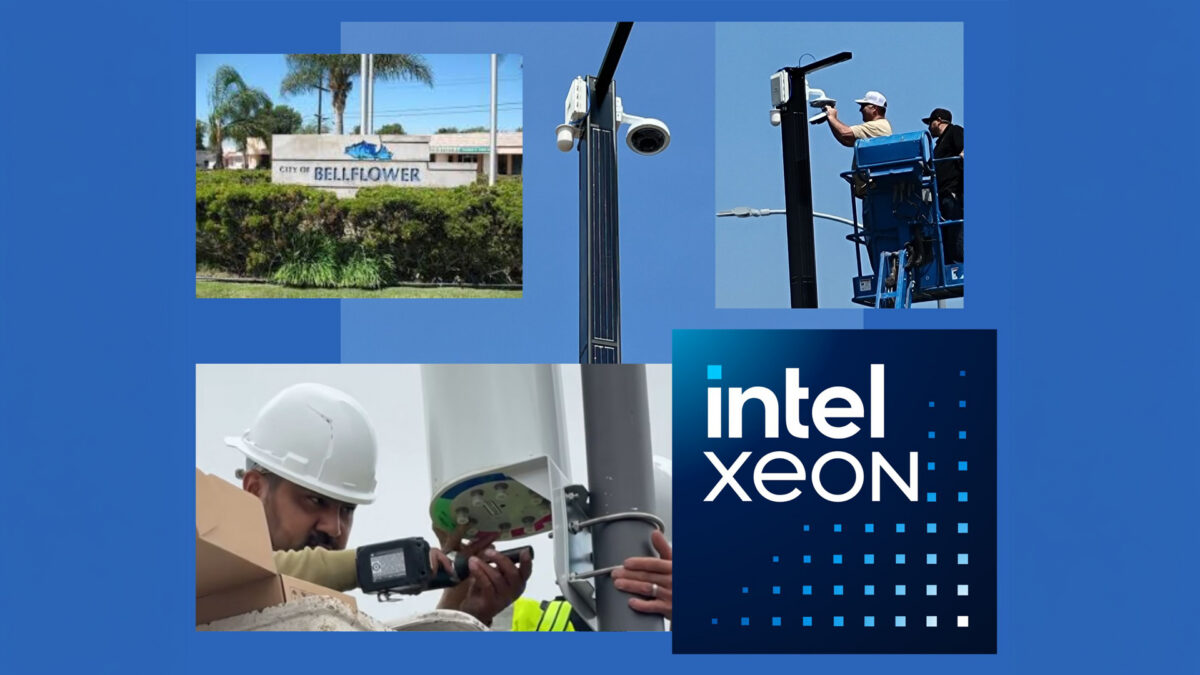
Powered by Intel edge infrastructure, a local California network demonstrates how micro-servers can deliver high-speed connectivity at a low cost.

BELLFLOWER, Calif. — A young woman unwillingly must leave her disabled mother at home to walk to the local library just to use the public internet to pay the household bills. A few blocks away, a family rations its online time, relying entirely on a son’s cellular data plan to check critical medical updates because traditional broadband is too expensive. At the weekly outdoor farmers market, small business owners regularly turn away customers because weak cellular signals prevent them from accepting credit cards.

These are the everyday realities in Bellflower; a suburb of 75,000 people located just 25 minutes outside of Los Angeles. Despite its proximity to America’s second-largest city, the community has long suffered from persistent cellular blind spots and high telecom costs that have left vulnerable residents behind.

Now, a new municipal network called Bellflower Connect is aiming to bridge this digital divide. By using a private wireless network of solar-powered micro-servers with Intel® Xeon® processors inside, and AI-driven cybersecurity at the edge, the public-private partnership offers an affordable, low-power blueprint for community broadband that organizers plan to scale to 50 additional U.S. cities under 150,000 people over the next few years.

Cutting the Red Tape

To get the network off the ground, the city of Bellflower waived standard permit charges, allowed reception towers to be built on public buildings, and bypassed lengthy request-for-proposal processes. This allowed project partner Tradewinds Networks to enter into a long-term revenue-sharing contract with the city. The funding was split through a public-private agreement, using a $1 million municipal transportation grant alongside $2 million put up by Tradewinds.

The program also includes a workforce development element, training local students to become certified wireless broadband technicians. Having won the 2025 Mobile Breakthrough Award for Social Impact, Tradewinds Networks aligned the Bellflower Connect project to meet sustainable goals, taking into consideration city health, economic development, innovation, and sustainability.

“This model allows us to aggregate services and delivery while making the network self-sustaining,” said Keith Alexis, chief technology officer and founder of Tradewinds Networks. “We then share revenues back with the community, which enables us to keep up a sustainable ecosystem that drives loyalty and usership. Additionally, our AI-based GuardTower solution runs on Xeon to keep the system secure.”

Bringing Power to the Edge

The secret to keeping user costs so low lies in how the data is handled. Traditional wireless networks rely on sending data back and forth to distant, massive cloud data centers packed with expensive, power-hungry graphics processors. That data journey requires heavy infrastructure and immense electricity, costs that big telecom companies pass on to consumers.

Bellflower Connect skips the cloud entirely. Instead, the network uses a fleet of 80 slim solar towers and repeaters placed around town. Each tower backhauls to central locations that feature compact Dell PowerEdge XR8000 series servers running a 4th Generation Intel Xeon processor. This allows data to be processed right there in the city, and in some cases, on the street corner, a concept known as edge computing.

Because Xeon processors are highly scalable and versatile, they “snap” into these lightweight towers easily, operating at a fraction of the cost, power, and space required by a standard cloud setup.

“By having off-the-shelf Intel Xeon system-on- chip processors directly in the towers, street corner or city facilities versus sending information through the cloud, the system is scalable, modular, and information is processed faster, at a lower cost, and using less power,”
Vijay Kesavan, a principal engineer for Intel’s Network and Edge Group.

This local computing footprint also creates a digital foundation for future municipal upgrades. According to Kesavan, cities can easily snap new services right into the existing Xeon infrastructure, such as smart street lighting, air quality or traffic sensors, and water utility leak detection.

High Tech at Low Cost

While connection to the network is entirely optional, the financial impact on residents who have been using it has been immediate. Qualifying low-income households receive free internet access through a home modem that links wirelessly to the nearest neighborhood tower. Other residents can opt-in for $15 per month, while local businesses can access the network for $39 per month. Alexis notes that’s far below traditional commercial carriers.

As of May 2026, about 60 households are using the service during its early rollout phase. By the time construction finishes in mid-2027, organizers expect 10,000 households connected to the network. Free public Wi-Fi will also blanket local parks, libraries, and the city’s outdoor markets.

Local business owners are already preparing for the transition. Joe Ung, owner of Cassidy’s Corner Café, is opening a new location in Bellflower that will use the network for his operations and customer Wi-Fi.

“Having easy, affordable, accessible internet is a win-win for everyone,” Ung told KTLA-TV in an interview about the new network in May. “A lot of times people don’t see the everyday expenses of running a small business. Anywhere you can save, it’s a huge benefit.”

Scaling the Blueprint

The expansion beyond California is already underway. Wrightsville, Arkansas, is scheduled to begin Phase 1 of its network installation this summer, with eight additional U.S. cities currently navigating the design review and approval pipeline.

Though the yearlong rollout has faced logistical hurdles, project leaders say the community response validates the effort.

“We’ve had many difficulties assembling the model for this network, from rising costs to delayed fiber delivery,” Alexis said. “But residents have testified about the value they’ve gotten from it in city hall meetings. When installers meet residents who tell them how this is changing their lives, it makes it worth finding solutions to this complex problem.”

Intel expands its AI ready platform across data center, network, and edge—showing why the CPU is at the heart of agentic AI orchestration, scale and data movement.

NEWS HIGHLIGHTS

  • Intel launches Intel Xeon 6+ processors with Efficient-cores, offering industry-leading rack density across data center workloads.
  • Intel expands its 800 Series Ethernet portfolio with the Intel Ethernet E835 controllers and network adapters, scaling up to 200GbE and helping reduce networking bottlenecks for modern AI, cloud, and edge infrastructure.
  • Intel broadens its Xeon portfolio for small and mid‑sized businesses with a new 12‑core Intel Xeon 6300 series processor that delivers higher performance for entry servers.
  • Intel discloses additional technical details regarding its next‑generation data center GPU, code-named Crescent Island, specifically designed for agentic systems and addressing power and memory bottlenecks for customers.

Taipei – June 1, 2026 – Intel today announced a series of data center advancements, including new Intel Xeon 6+ processors, an expanded 800 Series Ethernet portfolio featuring the Intel Ethernet E835 controllers and network adapters, and continued progress on its AI accelerator roadmap, including updates on Crescent Island. Together, these developments highlight a clear industry shift: as AI becomes more agentic, the CPU is re‑emerging at the center of modern AI infrastructure. With Xeon serving as the control plane, Intel is taking a systems‑level approach to performance and efficiency at scale —delivering platforms designed for increasingly agentic AI workloads, where orchestration, data movement, and sustained inference are critical across data center and network environments.

“AI doesn’t scale as a collection of parts—it scales as a coordinated system,” said Kevork Kechichan, executive vice president and general manager of Intel Data Center Group. “As AI becomes more agentic, the constraints shift to orchestration, concurrency, and data movement. That shift reinforces a core reality: the CPU remains the control plane for the modern AI infrastructure. With Xeon 6+ and Ethernet E835, we’re tightly coupling compute and networking to reduce bottlenecks and enable efficient, secure scaling of real‑world agentic workflows.”

Introducing Intel Xeon 6+ Processors

Intel Xeon 6+ processors extend the Xeon 6 family with a focus on performance density, power efficiency, and operational scale for cloud‑native, agentic AI‑driven, and network‑intensive workloads. Built on Intel 18A —its first use in a data center CPU— Xeon 6+ is engineered for sustained performance under real‑world power constraintsaddressing orchestration, concurrency and data movement demands of emerging agentic AI.

Optimized for environments where watts per rack, throughput per core, and latency predictability are critical, Xeon 6+ emphasizes scale‑out performance — making room for new AI workloads without requiring disruptive data center redesigns.

Key highlights include:

  • Up to 288 Efficient-cores, delivering up to 2.5 times more performance1 compared to the previous generation, and up to 45% better performance per thread per watt2 versus the competition – enabling high concurrency and strong responsiveness for cloud-native, telecom, and agentic AI-driven workloads.
  • 12‑channel DDR5 memory with scalable bandwidth for high‑density systems
  • 96 lanes of PCIe Gen 5 and CXL support to accelerate data movement across heterogeneous infrastructure.
  • Intel Application Energy Telemetry (AET) enables real-time workload-level CPU energy and activity telemetry, improving visibility into energy consumption at the workload-level starting with Intel Xeon 6+ processors.
  • Up to 9:1 server consolidation3, reducing footprint and total cost of ownership vs. 2nd Gen Intel Xeon.
  • Security built into silicon, including Intel SGX and Intel TDX, to support confidential and multi‑tenant deployments.

Intel Xeon 6+ processors are already being tested within telecom network infrastructures and configured into data center systems with platforms available across the ecosystem. These include servers, networking and integrated solutions from and used by ASUS, Dell Technologies, Ericsson, GIGABYTE, HPE, Lenovo, Supermicro – and others developing on Xeon 6+ today.

This growing portfolio reflects Intel’s systems‑first approach—delivering deployable, available‑now infrastructure for running, scaling, and orchestrating increasingly agentic AI workloads on x86. Paired with complementary Xeon platforms optimized for both high‑density throughput and single‑thread performance, Intel’s customers and partners can balance efficiency and responsiveness by distributing workloads across a proven, broad, mature hardware and software ecosystem.

Intel Ethernet E835: High-Efficiency Networking for Next-Gen Infrastructure

As AI, cloud, and distributed workloads continue to scale, networking has become a critical determinant of overall infrastructure performance and efficiency. The Intel Ethernet E835 controllers and network adapters are designed to deliver performant, power-efficient connectivity for modern data center, enterprise, edge, and AI environments.

The Intel Ethernet E835 provides the scalability and efficiency required for next-generation infrastructure while maintaining industry-leading performance-per-watt. Designed for dense, virtualized deployments, the E835 helps reduce energy consumption and operational costs without compromising throughput or reliability.

Key highlights include:

  • Flexible Connectivity: Delivers 200 GbE throughput with multiple controller and adapter configurations supporting data rates from 10GbE to 200GbE. The 835 supports a broad range of port configurations, including 2x25GbE, 4x25GbE, 2x100GbE, and 1x200GbE, with additional configurations enabled through the Intel Ethernet Port Configuration Tool (EPCT).
  • Industry-leading Power Efficiency: Engineered for high performance-per-watt, Intel E835-CQDA2 network adapter delivers up to 1.9 times higher performance per watt than the comparable NVIDIA ConnectX-6 DX (CX614106A) and 1.4 times higher than Broadcom BCM957508-P2100G, lowering energy consumption and operational costs of modern distributed environments.*
  • Network Optimization: Implements RDMA (RoCEv2/iWARP) to reduce CPU utilization and maximize efficiency – and Dynamic Device Personalization to streamline packet processing and improve application performance.
  • Security & Management: Integrates Hardware Root of Trust and signed SPDM with DMTF-based manageability for secure, deterministic operations.
  • Broad Compatibility: Supports multiple operating systems including Linux, ESXi and Windows.
  • 10+ Year Lifecycle: Built for long-term reliability and support.

With broad support from industry leaders—including Cisco, Dell, HPE, Lenovo, and Supermicro—the Intel Ethernet E835 provides an efficient and manageable networking fabric. From AI training to enterprise cloud services, the E835 delivers the scalability, reliability and high-efficiency features required for the next generation of networking.

Pricing and availability vary by configuration, with recommended pricing on intel.com/ethernet.

More Performance for SMB Entry Servers

Intel also announced the general availability of a new 12‑core option in the Intel Xeon 6300 processor family for entry servers that raises the platform ceiling beyond 8 cores for the first time. The added core count provides greater compute power and flexibility for growing SMB workloads—without requiring a platform change.

Available today through major OEMs, the Xeon 6300 12‑core processor is drop‑in compatible with existing entry server designs, enabling fast, cost‑effective upgrades.

Crescent Island: Building Momentum in AI Inference

 To meet the growing demands for agentic AI—memory capacity, bandwidth and efficiency are emerging as critical differentiators alongside performance. Purpose-built to address these needs, Intel’s next-generation data center GPU, code-named Crescent Island, built on the Xe 3P architecture extends the proven Xe architecture delivering enhanced efficiency and performance-per-watt while maintaining broad software compatibility for modern AI workloads.

Equipped with LPDDR5x memory, Intel’s Crescent Island delivers up to 480 GB capacity to efficiently handle large, token-intensive workloads while reducing total cost of ownership. Its power efficient 350W air‑cooled PCIe design enables highly efficient scaling for agentic AI with strong performance-per-watt.

Leveraging a multi-generational Xe install base, Intel’s Crescent Island is designed for next generation AI workloads with support for a wide range of datatypes and microscaling formats, from native FP4/MXFP4 to FP64, including expanded support for advanced AI operations and improved memory and scalability.

Intel’s open programmable AI software stack supports a heterogeneous compute platform designed to reduce friction and enable AI deployment at scale by providing out-of-the-box model support with an upstream-first approach. Built on the same Xe architecture foundation, Intel’s Arc Pro Series provides an ideal development platform allowing developers to build, validate and optimize workloads on familiar hardware and seamlessly deploy on Crescent Island with forward and backward compatibility.

About Intel

Intel (Nasdaq: INTC) is an industry leader, creating world-changing technology that enables global progress and enriches lives. Inspired by Moore’s Law, we continuously work to advance the design and manufacturing of semiconductors to help address our customers’ greatest challenges. By embedding intelligence in the cloud, network, edge and every kind of computing device, we unleash the potential of data to transform business and society for the better. To learn more about Intel’s innovations, go to newsroom.intel.com and intel.com. 

Unlike previous generations that focused on peak speeds, Wi-Fi 8 is all about reliability, intelligence, and context-aware networking. It’s designed to deliver ultra-high reliability, deterministic performance, and smarter traffic management—even in congested environments like busy homes, offices, and airports.

Here are some key takeaways from the white paper:

  • Optimized Networking: Wi-Fi 8 improves spectrum efficiency, latency, power consumption, and range through advanced modulation and coding schemes.
  • Deterministic Performance: New mechanisms ensure consistent and reliable data delivery with low latency, ideal for gaming, virtual meetings, and industrial applications.
  • Stronger Security & Privacy: Enhanced encryption and protection for management frames make Wi-Fi 8 the most secure generation yet.
  • AI Enabling: Wi-Fi 8 supports context-aware applications like Wi-Fi sensing and proximity ranging, paving the way for smarter homes and workplaces.

The white paper also outlines real-world use cases—from immersive XR collaboration and smart enterprise environments to AI-powered meeting rooms and connected homes. Whether you’re a gamer, a remote worker, or an enterprise IT manager, Wi-Fi 8 promises a more seamless and intelligent wireless experience.

Intel’s white paper doesn’t just scratch the surface—it provides a detailed technology overview, including multi-AP coordination, spectrum optimization, and power efficiency improvements. It’s a must-read for anyone looking to understand how Wi-Fi 8 will transform connectivity in the AI era.

The white paper is now available for download. Don’t miss your chance to explore the future of wireless networking with the industry’s most thorough guide to Wi-Fi 8.

Data is the currency of modern workloads, from AI to analytics and more. Based on a recent industry report, the global data center market is expected to grow to 1,008.65 billion US dollars (USD) by 2034, representing a compound annual growth rate (CAGR) of 11.24 percent from 2025 to 2034.[1] It’s no surprise then that most businesses are moving quickly to keep up with this demand by updating their servers with modern processors, memory, and storage.

If you’re one of those organizations, don’t shortchange your network infrastructure in your digital transformation journey. Today, enterprise-generated data is created and processed across both traditional centralized data centers and the cloud, which means your network adapters could become a bottleneck if they aren’t equipped to handle low-latency, distributed computing needs. Performance is no longer the only factor to consider. With so much data crossing your networking threshold, scalability, reliability, and security are paramount. And of course, you need to think about the bottom line, especially when you’re tasked to do more with less.

Taking these challenges into account, the following five key connectivity considerations, along with readily available solutions, can help you achieve your data center optimization objectives.

1. Achieving consistent, low-latency performance

Despite the rise of AI, the demand for high-performance data centers is mainly driven by other causes, including growing data volumes, increasingly complex enterprise applications, and the continued growth of cloud computing. These factors, along with ongoing digital transformation initiatives, demonstrate the need for robust infrastructure that can support demanding initiatives beyond those associated solely with advanced AI. To address these demanding workloads, you can deploy servers built on advanced CPUs, like Intel® Xeon® 6 processors. But how do you also ensure your network infrastructure is up to par?

Pairing servers built on modern processors with high-performance network adapters and efficient network protocols can help optimize quality of service (QoS) for fast, reliable Ethernet connectivity. With network adapters that excel in minimizing latency, you can ensure the consistent, reliable performance needed for your demanding applications.

Another way to boost performance is to use Remote Direct Memory Access (RDMA) to reduce work handled by the processor. RDMA over Converged Ethernet (RoCE) v2 and Internet Wide Area RDMA Protocol (iWARP) can help offload tasks from the CPU during data transfers between systems.[2]

ShariCLawrence_11-1749590154347.png

2. Ensuring reliability and compatibility

Don’t let your networking infrastructure be the weakest link in your data center. You could deploy the most reliable servers on the market and still waste valuable time and money troubleshooting downtime if your network adapters aren’t built to keep up.

The same goes for compatibility. Network adapters that can’t interoperate with previous-generation adapters or the rest of your infrastructure can inevitably lead to more costly downtime, troubleshooting, and headaches. This is particularly true for infrastructure modernization, which can be complex and disruptive if your adapter software drivers are not compatible with your existing prior-generation devices.

A better approach would be to deploy adapters with dependable failover mechanisms and other features that help ensure your network can handle disruptions without significantly impacting business-critical workloads.

You can also save yourself hours of planning, troubleshooting, and compromising by choosing solutions that come with validation, assuring comprehensive interoperability across a broad ecosystem of servers and switches. The Intel® Ethernet E830 and E610 Controllers and Network Adapters provide those benefits because they are rigorously tested for interoperability and compatibility, with extensive conformance testing and comprehensive operating system support. Additionally, both adapters offer software drivers with backward compatibility to enable consistent deployment across product generations.

ShariCLawrence_13-1749590154416.png

3. Improving scalability and flexibility

With the explosion of data and the rapid growth of evolving technologies like 5G Virtualized Radio Access Network (vRAN), you need a network infrastructure that can meet your needs today and into the future with scalability and flexibility. For example, if your infrastructure can’t scale efficiently, you might run into performance and latency bottlenecks as you try to roll out new applications and services. Without flexibility, you could find yourself reconfiguring and redeploying adapters every time you need to adjust your infrastructure to meet changing needs.

Consider the flexibility and cost savings offered by the higher port density of the Intel Ethernet family of controllers and network adapters. For example, the Intel Ethernet E830 Network Adapter offers a wide variety of configuration choices, including 1 x 200 gigabit Ethernet (GbE), 2 x 100GbE, 8 x 25GbE, 8 x 10GbE, 2 x 25GbE, 2 x 10GbE, and 2 x 1GbE ports in a single adapter. You can use the Ethernet Port Configuration Tool (EPCT) to reconfigure the number of ports and port speeds as often as needed without revalidation, which simplifies port management. Higher port density on one adapter reduces hardware costs compared to buying multiple lower-density adapters. That’s a big advantage over other network adapters with lower port densities and more complex management schemes.

ShariCLawrence_15-1749590154430.png

4. Strengthening security

You could deploy the industry’s highest-performing and most flexible network adapters but still regret your decision if those adapters open the door to security breaches. Loss of data or confidential information could cost your business dearly from remediation costs, downtime, and damage to your reputation. Look for network adapters that support modern cryptographic security features and a hardware root of trust that adds resilient protection against supply-chain attacks, unauthorized access, and cyberattacks.

The Intel Ethernet E830 and E610 Controllers and Network Adapters, for example, both meet Federal Information Processing Standards (FIPS) 140-3 Level 1 requirements and support secure boot and secure firmware updates compliant with Commercial National Security Algorithm (CNSA) 1.0 to provide resilient protection against unauthorized access and cyberattacks. They also offer device and firmware attestation, which protects firmware using a verifiable certificate chain and security-enabled measurement communication to help protect businesses from supply-chain attacks.

ShariCLawrence_17-1749590154462.png

5. Improving total cost of ownership (TCO)

Performance, power consumption, and cooling costs all add up over time. According to a Goldman Sachs report, power demand from data centers is projected to increase by 50 percent by 2027, and by as much as 165 percent by the end of the decade.[3] If your data center infrastructure doesn’t operate as an integrated, well-oiled machine, you might see your overall operating costs rise precipitously, regardless of how low your initial capital costs were.

Efficiency in data center deployments is increasingly driving down costs. Features like high port-density hardware minimize initial capital expenditures (CapEx) by requiring fewer units to achieve the same levels of connectivity. In addition, selecting components with low power consumption directly curtails ongoing operating expenses (OpEx). Robust manageability and tools such as EPCT not only streamline management but also contribute to lower OpEx. The synergy of pairing these efficient network adapters with appropriately scaled servers is key to unlocking a lower total cost of ownership (TCO).[4]

ShariCLawrence_3-1749596841779.png

Meeting data center demands with Intel Ethernet

The Intel Ethernet family of controllers and network adapters helps businesses achieve their digital transformation goals by offering high performance with low-latency data transfer between systems. That means your data center is ready to take on demanding workloads without breaking a sweat.

Need flexibility? The Intel Ethernet E830 and E610 Controllers and Network Adapters offer scalable architectures, comprehensive security and manageability features, small form factors, and a broad range of port-configuration options. Intel Ethernet E830 Network Adapters, with 200 Gbps maximum throughput and broad port density that includes the unique 8 x 25GbE configuration, are ideal for optimized, higher bandwidth data-plane operations. Intel Ethernet E610 Network Adapters provide industry-leading power efficiency, the latest advancements in 10GBASE-T connectivity, and comprehensive manageability features for control plane networking.

With both adapters, you can combine flexibility, simplified management, efficiency, interoperability, and strong security to achieve exceptional performance and a lower TCO in your data center.

The path to optimization

Navigating the complexities of data center optimization requires a holistic approach. By keeping these five key considerations at the forefront of your strategy, you can build a more agile, efficient, and cost-effective data center that not only meets your current business needs, but that also lays a strong foundation for future growth and innovation. The journey to an optimized data center is an ongoing one, but with these considerations as your guide, you’ll be well-equipped to navigate the path to success.

Liran_Klein_0-1732731491126.jpeg

 Intel’s corporate wireless local area network (WLAN) is crucial to employee productivity. If users experience poor radio frequency (RF) conditions, productivity can plummet while user frustration escalates. We have found that reliable WLAN service starts with good access point (AP) deployment—which, in turn, is the result of effective planning. But as you can read in our recent white paper, “Optimizing and Troubleshooting Wi-Fi Networks Using Client Analytics,” planning alone isn’t sufficient to achieve the network reliability we need.

Intel IT’s Best Practices for Avoiding Poor RF Issues

Intel IT has developed a few guidelines for ideal AP placement:

  • Place an AP every 45 feet.
  • Place an AP near all four corners of small conference rooms.
  • For larger conference rooms, install APs inside the conference room, one per every eight users.

We estimate that these guidelines prevent poor RF coverage about 80% of the time, but they don’t always meet our goal of 99.999% coverage. It’s difficult to simulate internal walls, which can vary from cubicle panels to concrete. Also, APs use a dynamic power level that can change depending on the users’ physical distribution around each AP. Another problem is that room layouts might change between planning AP placement and installation. Therefore, after a third-party firm installs APs based on the above guidelines, we go the extra mile to validate that the installed APs provide the necessary coverage.

Traditional RF Coverage Validation Is Time-consuming and Costly

RF coverage validation is traditionally performed in one of two ways:

  • Use a commercial software application to simulate coverage, which may not reflect the floor layout accurately unless we manually update it.
  • Physically walk the entire floor with a client device. However, this is time-consuming and not all campuses have on-site IT staff.

Not satisfied with either of these two options, a few years ago we developed an in-house alternative to walking the floor. Our customized software displays AP power levels and user counts per AP in a dashboard (see screenshot below). We can look for signs of low coverage—APs with a high power level and a high user count. In the following screenshot, a glance down the rows of data reveals that the AP named etb671y-aej76 (ninth row) meets these criteria. 

Liran_Klein_1-1732731491131.png

 However, our in-house software wasn’t completely ideal. Every five minutes, we had to manually collect the data from the WLAN controller across the entire company. We also needed to develop sophisticated algorithms to eliminate non-prime-time data, define interesting values, and accommodate geographic regions’ differences (for example, in some regions, Friday is a working day; in others, it is not). With hundreds of thousands of APs installed worldwide, such manual efforts are nearly impossible. 

This approach to network validation does not scale well and uses precious IT resources. 

A Faster, Better Approach to Validation

Intel® Connectivity Analytics, recently developed in collaboration with Cisco and Intel’s Client Computing group, is a cost-effective, highly scalable alternative approach to network validation.

Prior to using Intel Connectivity Analytics, we could gather only AP data—there was no visibility into the client side of things. AP data could tell us about the number of users and transmit (Tx) power level, but we merely used this information as markers for low coverage. It wasn’t possible to measure the coverage directly from the client perspective. 

In contrast, Intel Connectivity Analytics constantly gathers data from client devices themselves. The client data represents the actual client experience.

This solution provides granular driver-level wireless client insights for any client using Intel® Wi-Fi products while connected to a supported Cisco wireless network. The APs automatically collect the Wi-Fi telemetry sent from the clients and forward it securely to a Cisco Catalyst controller, Cisco Catalyst Center management platform, or a Cisco Meraki Cloud management platform. The solution then processes the data and presents network managers with intelligent reports and insights.


Intel Connectivity Analytics provides an efficient, targeted approach that identifies low received signal strength indicator (RSSI) events (see screenshot below) that pinpoint users who are experiencing poor RF. We can explore the issue directly by examining the specific AP power level history and deployment without needing to collect and analyze vast amounts of data.

Liran_Klein_2-1732731491136.png


By drilling down, we see that the same AP is the source of all the low RSSI events on a particular date (see screenshot below). Note: RSSI is measured in decibel milliwatts (dBm), where a larger negative number represents a lower signal strength. For example, an RSSI of -70 dBm is stronger than an RSSI of -85 dBm. An RSSI of -50 dBm is a strong signal, while -85 is very weak. 

Liran_Klein_3-1732731491139.png

 Further drill-down shows that this AP is transmitting at the highest power level, suggesting insufficient coverage in the specific area.

Liran_Klein_4-1732731491140.png

Finally, floor map analysis discovered a lack of AP neighbors close to this AP, resulting in poor signal strength for clients.

 Liran_Klein_5-1732731491144.png

 Conclusion

Intel Connectivity Analytics lets us quickly find low-coverage areas and pinpoint the cause. It eliminates the need to walk the floor or manually collect and analyze RF data from the entire company. We can now focus our efforts only where it matters.


The time savings are enormous. On the client side, troubleshooting a connectivity issue without Intel Connectivity Analytics could take 10–15 minutes, and the IT administrator could fix only one client at a time. Intel Connectivity Analytics has helped mean time to repair drop significantly to 10–15 seconds, and the solution can simultaneously identify numerous problematic connections. For network issues, it might take days to diagnose what is causing a rash of connectivity problems. With Intel Connectivity Analytics, we can now discover the root cause of a problem in a matter of seconds. In addition, we no longer need to support our in-house tool or create internal custom scripts and automation jobs for collecting and managing client data.


For information about how Intel IT uses Intel Connectivity Analytics to improve the Wi-Fi network user experience and network management efficiency, read the IT@Intel white paper, “Optimizing and Troubleshooting Wi-Fi Networks Using Client Analytics.”


IPC
What’s New: Today Intel recognized the outstanding achievements of 30 partners with the distinction of Partner of the Year at its Intel Partner Connect 2020 virtual conference. The Partner of the Year awards honor Intel partners demonstrating excellence in technology innovation, go-to-market strategizing, sales growth and marketing.

“We appreciate each of our partners for their continued collaboration to bring new technologies to life for our customers. The shared results from 2019 demonstrate our strong partnerships and collective mission to bring innovative solutions to businesses and organizations across the world.”
– Greg Ernst, Intel vice president in the Sales and Marketing Group and general manager of U.S. Sales

Why It’s Important: The title of Partner of the Year is awarded to companies achieving the highest standards of design, development, integration and technology deployment to accelerate innovation, growth and go-to-market strategies. They represent great examples of what’s possible when we, as an ecosystem, work together.

Partner Program Winners:

Global Innovation

  • Accenture – Global Innovation Partner – Globally deploying innovative solutions across artificial intelligence (AI), analytics, blockchain and device-as-a-service leveraging Intel technologies: Intel® OpenVINO™, Intel® Arria® 10 FPGA, Intel® Movidius™ Myriad™ X VPU, Intel® Connected Logistics platform and the Intel vPro® platform.

LOEM

  • AIS – Growth – Continuously grew integration of Intel® NUC product to enhance video collaboration solutions in enterprise and education.
  • Colfax International – Go-to-Market – For successfully deploying Intel® Optane™ persistent memory DIMMS at launch and strategizing a cohesive pricing model.
  • Crystal Group – Growth – Delivered innovative, ruggedized systems tailored to specific customer needs for oil and gas, and power substation/micro grid market-ready solutions for Intel’s common substation platform.
  • Eluktronics – Innovation – Leading channel whitebook GTM strategy with SPG and executing TTM launch of Queen’s County, selling 1.2ku in first quarter.
  • IBuyPower – Go-to-Market – Set its sights on TAM expansion with Intel technology through a bold, creative and unique partnership with Toyota Racing Development. With this program, it unveiled a state-of-the-art gaming and training zone at Toyota Performance Center, remastered its Pro Series of workstation PCs for professionals, launched a series of TRD-approved systems for gamers, and broadcasted a video series designed to award-winning college students with gaming room makeovers, all with Intel branding and powered by Intel-based PCs.
  • Penguin Computing – Innovation – An innovative Linux solution for high-performance computing on-premise and in the cloud with Penguin Computing professional and managed services.
  • Razer – Growth – Razer saw exceptional growth in 2019, in part by bringing the latest Intel technologies to market, including Intel® Core™ i7 processors, Intel® Iris® Plus graphics, Thunderbolt™ 3 and Wi-Fi 6, to deliver high-performance thin-and-light gaming laptops.
  • Simply NUC – Go-to-Market – Dedicated to expanding the use cases of mini PCs into new growth segments such as digital signage, academic collaboration and AI. Simply NUC is your one-stop shop for systems, solutions and accessories.
  • Vast Data – Innovation – For close collaboration and partnership in creating Intel Optane technology-based storage solutions for new applications, such as analytics and AI, machine learning and deep learning. Uniquely integrated key Intel technologies to simplify the data center stack, eliminate storage complexity and tiers, and enable all-flash performance with archive economics.

National

  • CDW – Growth – Expanding Intel client, data center, storage and networking infrastructure solutions across over 150 countries.
  • Connection – Go-to-Market – For their dedication to selling devices consistently across SMB, public sector and enterprise segments.
  • Insight – Innovation – For simplifying complex solutions in emerging technologies like the internet of Things (IoT) and machine learning – including the Connected Platform for Detection and Prevention of the spread of viruses – to accelerate our clients’ time to value, drive efficiency in their workplaces and create positive customer experiences through partnerships and solution aggregation at scale.
  • Logicalis – Go-to-Market – Intel pre-validated, and pre-integrated IoT solutions across markets, such as asset management in healthcare, machine vision in industrial, and smart city applications.
  • Pivot – Go-to-Market – Edge secure connectivity, computing and collaboration solutions that continue to advance and scale Smart Edge’s software. Pivot signed a three-year preferred partnership agreement with Intel to continue investing in and drive the Intel® Smart Edge/Edge solution (branded Pivot Intelligent Edge) to market and support its future growth. Pivot has integrated Smart Edge to be a foundational component of Pivot’s Intelligent Edge Solution and Services that provide best-in-class secure connectivity across multiple wireless protocols (CBRS, LTE, Wifi, Lora, Zigbee, etc.).
  • Presidio – Growth – Deployed Intel-based solutions around HCI, SDS and Hybrid Cloud across its middle market, enterprise and government clients.
  • SHI International Corp. – Innovation – Leads the way with its cutting-edge Zero Touch, which streamlines configuration, deployment and management of Intel processor-based Win 10 client devices.
  • World Wide Technology – Growth – Designed, built, and deployed transformational solutions for multicloud, AI/analytics, IoT and 5G, supporting our largest enterprise, public sector, and service provider customers.
  • Zones – Innovation – For its leadership in solution development and deployment of the Intel Unite®

ISA

  • BCM – Highest IOT Growth at Associate/Affiliate Level – Provided medical equipment OEMs with a viable IoT data collection and aggregation device using Intel Core technology. Understands multiple vertical markets and embedded life cycle management, and reduces time to market with a quality product.
  • Crestron – Most Engaged Co-Marketing – The Creston Collaboration solution is an Intel® IoT Market Ready Solution built on Intel technologies (Intel Core i7, Movidius and Intel Arria FPGA). Creston engaged in a multifaceted Intel IoT Solutions Alliance co-marketing campaign (event, collateral, demos, digital), insight.tech content marketing platform, and the Intel® Solutions Marketplace to develop leads, accelerate its business and drive revenue and deployments.
  • Dell OEM – Largest IoT Co-sell Partner +Biggest IOT Growth Partner – Dell Technologies Original Equipment Manufacturer (OEM) Embedded & Edge Solutions delivers customized infrastructure, services and a secure supply chain designed for your vision and business goals – all from one trusted, sustainable and secure vendor. Dell OEM offers solutions for IoT, communications, medical, retail and more than 40 additional verticals.
  • Noodle.ai – Most impactful MRS – Noodle.ai is a mature startup software company with deep heritage and expertise of AI/ML analytics for factory/industrial environments. With the support from Intel and Dell, Noodle.ai will continue to pioneer the Smart Factories initiative, as part of the Industry 4.0 rollout.

Distributor

  • Synnex CorporationData Center Group Distributor of the Year – Grew its overall data center business with a companywide focus on growing this segment, which resulted in overall data center growth, and Intel adjacencies and Intel® Data Center Blocks.
  • Ingram MicroClient Computing Group Distributor of the Year – Grew its client computing business through a sales and marketing strategy focused on growth areas, like solutions-based on Intel NUC products.
  • ArrowInternet of Things Group Distributor of the Year – Drove an overall IoT silicon, systems, solution strategy that led to expanding its overall business and evolving its IoT go-to-market strategy.
  • ASINon-Volatile Memory Solutions Group Distributor of the Year – Exceptional growth year-over-year through a very focused effort across the entire company.
  • Tech DataBranded Systems Distributor of the Year – Strong growth results on both end-point products and data center through a variety of companywide initiatives.
  • Tech DataPartner Enablement Distributor of the Year – Delivered innovative solutions to help its Intel partners grow their Intel business through Tech Data’s Propel ITP program.
  • Computech InternationalChannel Innovation Award – Brought Intel nonvolatile memory solutions to new markets, expanding Intel’s channel presence and customer base.

More Context: Intel’s Partner Program Page | Intel Announces 2020 Americas Partner of the Year Awards

The Small Print: Intel technologies’ features and benefits depend on system configuration and may require enabled hardware, software or service activation. Performance varies depending on system configuration. No product or component can be absolutely secure. Check with your system manufacturer or retailer or learn more at intel.com.

Cost reduction scenarios described are intended as examples of how a given Intel-based product, in the specified circumstances and configurations, may affect future costs and provide cost savings. Circumstances will vary. Intel does not guarantee any costs or cost reduction.

Software and workloads used in performance tests may have been optimized for performance only on Intel microprocessors.

Performance tests, such as SYSmark and MobileMark, are measured using specific computer systems, components, software, operations and functions. Any change to any of those factors may cause the results to vary. You should consult other information and performance tests to assist you in fully evaluating your contemplated purchases, including the performance of that product when combined with other products. For more complete information visit www.intel.com/benchmarks.

Rivet Networks Complements Intel’s PC Wi-Fi Products, where the Company has had a Leading Role for Two Decades

By Chris Walker

Wi-Fi connectivity has become more essential than ever as we rely on it to work, teach, learn and stay connected to colleagues and loved ones. Fast, reliable and secure Wi-Fi connectivity is a necessity for keeping up as we add more connected devices and higher bandwidth applications for gaming, video streaming and content creation, as well as for processing increasingly larger file sizes.

In today’s homes there are an average of 11 Wi-Fi-enabled devices. Over the past few months, Comcast has reported that Wi-Fi-connected video calls and video conferencing have increased over 283%, and Charter Communications reports that over 90% of the traffic on its ISP network is Wi-Fi-based. Even in the case of your phone, more than 70% of your mobile (cellular) data trafficruns on Wi-Fi.

Intel has been investing and contributing to the evolution of Wi-Fi for more than 20 years, and today we’re excited to announce another leap forward. We are acquiring Rivet Networks, a leader in software and cloud-based technologies for networking connectivity.

More: Client Computing News


Intel Rocket Wifi chip 1
Intel and Rivet Networks have partnered to build the Killer AX1650 Wi-Fi solution, which delivers immersive entertainment and gaming experiences along with powerful Wi-Fi 6 technology. Rivet Networks’ capabilities, including its software, are complementary to Intel’s wireless products and capabilities. (Credit: Rivet Networks)

Rivet Networks is a terrific complement to our existing Wi-Fi products and helps us further our vision of delivering PC platforms that power every person’s greatest contribution. Rivet Networks’ products deliver speed, intelligence and control for gamers and performance users. Its products maximize Wi-Fi bandwidth utilization and optimize the wireless network connection on your platform. In addition, Rivet Networks’ products can also utilize the combination of Ethernet and Wi-Fi to prioritize traffic over both connections.

Its team will join our Wireless Solutions Group within the Client Computing Group. Rivet Networks’ key products, including its Killer brand, will integrate into Intel’s broader PC Wi-Fi portfolio. With the addition of Rivet Networks’ software, we will license its software to customers and develop new solutions for broader PC connectivity enhancement. With Rivet Networks’ and Intel’s leading Wi-Fi products, we can scale our PC Wi-Fi portfolio to better serve our customers, ecosystem and channel partners.

In addition to an expanding portfolio of Wi-Fi solutions for PC Platforms, we continue to advocate for Wi-Fi standards, contribute to the developer ecosystem and deliver new value for our PC OEM customers. More specifically:

  • Leading the development and testing of 801.11ax (Wi-Fi 6): Intel took a lead role in the industry to define and deliver Wi-Fi 6 to the market. Our products were ahead of the competition and were selected as the “test bed” for Wi-Fi 6 certification. We also delivered the world’s first Wi-Fi 6 client for PCs, delivering over 1.2 Gbps throughput. But even more important, Intel led the ecosystem in conducting interoperability testing with Cisco, Aruba, Broadcom, Qualcomm and Microsoft to ensure great user experiences in new Wi-Fi 6 and legacy network implementations.
  • Advocating for Wi-Fi Standards: We are strong advocates for Wi-Fi 6 and beyond, having worked closely with the FCC, ecosystem and standards bodies to ensure interoperability, to drive new and innovative capabilities into the standards, and to advocate for spectrum and certification policy issues. Most recently, the FCC opened 1200 MHz of 6 GHz spectrum to unlicensed Wi-Fi use, which will significantly improve Wi-Fi for all Americans. Opening this band will enable significant new capacity and ensure more opportunities for the Wi-Fi ecosystem that is relied on by millions of people and businesses.
  • Developing the Best PC and Connectivity Experiences:
    • Wi-Fi 6 Desktop Developer Kit: We launched an Intel Wi-Fi 6 Desktop developer kit to bring Gigabit+ wireless speeds to new and existing desktop PCs. The kit can be installed in less than 10 minutes and provides a max wireless speed of 2.4 Gbps, which is nearly three times faster than the standard AC 2×2 module with 80 MHz channels and 75 percent lower latency for gaming and video conferencing. It also allows for four times greater capacity of devices on a network. This kit was designed with DIYers and small- to medium-size businesses.
    • Project Athena: Project Athena is a multiyear innovation program designed to deliver a new class of advanced laptops. The program is rooted in user insights and real-life situations. Together with our OEM partners, we’ve leveraged these insights to build PCs that fit at least six criteria that enable the most seamless PC experiences. One of the central features of Project Athena is to create devices that include a fast and persistent connection with Intel® Wi-Fi 6 (Gig+) and optional Gigabit LTE. We have verified more than 40 devices that meet the Project Athena specification.

We are committed to enabling our customers to deliver the best PC experiences, especially when we have become more reliant on technology. We know how important connectivity is in enriching our lives. We will keep you updated on our progress and look forward to having the Rivet Networks team as part of the Intel family, developing technologies that matter to you.

Chris Walker is corporate vice president and general manager of the Mobile Client Platforms Group at Intel Corporation.