How we use computers has transformed dramatically. Today, they’re our primary tools for staying connected, managing finances, making payments, attending meetings, purchasing tickets, and researching complex issues. Given that some computers hold a lifetime of data, securing these powerful devices is essential. After all, identity theft, fraud, ransomware, and viruses are constant threats.
In honor of National Computer Security Day, we want to remind you to safeguard your network with advanced, evolving security measures.
Protecting Your Network from Emerging Threats:
Sandboxing enables rapid responses to newly identified threats, isolating them with the help of AI and cloud technologies.
Protects applications while offering detailed control over traffic optimization, including the ability to block undesirable applications.
Features DNS Content Filtering and Reputation Filtering, with IP checking and categories synced to a constantly updated cloud database. This ensures even encrypted traffic remains visible and secure.
Our anti-malware provides swift and effective protection against the latest malware threats, keeping your network safe from evolving risks.
What Zyxel Offers: A Comprehensive Network Security Solutions
Our network security solutions offer robust, multi-layered protection against internal and external threats. Utilizing industry-leading technologies, we eliminate blind spots—even in encrypted traffic—creating a safer access layer for every user.
Simplify and accelerate your network security deployment with Zyxel Nebula, our centralized cloud management platform. From synchronizing security profiles to managing user access, Nebula scales effortlessly to support your growing network needs.
Contain compromised devices at the network edge before they can disrupt operations. Our CDR service enables Zyxel security firewalls to work in tandem with wireless access points, blocking or quarantining compromised client devices to prevent potential issues.
Protect your business from external threats and unauthorized applications, ensuring smooth operations without costly downtime. Our unified management platform takes a collaborative approach to tackle complex security threats efficiently.
Built with Zero Trust principles, Zyxel Security Services provide secure remote access with a streamlined, user-centric management platform. This approach allows for flexible yet secure access control, safeguarding your network wherever users are—at headquarters, branch offices, on the go, or working from home.
Operating with Zero Trust across wired and wireless networks is essential for modern business continuity. With Zyxel’s expanded network access services, your data remains safeguarded no matter where you are, ensuring safety and operational stability.
What we suggest:
Equip your network with Zyxel’s powerful, scalable security solutions to protect your data from evolving threats. For more info about Zyxel’s secure network connectivity, click here.

Choosing the right WiFi setup can be tricky, so before we dive in, lets go over some basics to make sure you understand what we’re talking about when we say, Traditional Router & Mesh System.
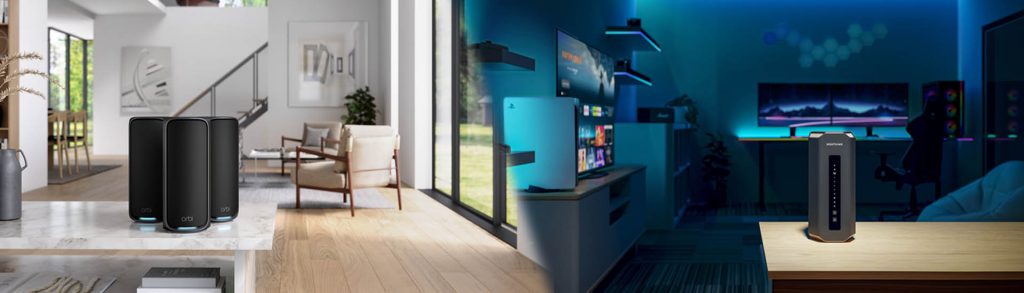
A traditional WiFi router connects to your modem and delivers internet to your devices by producing WiFi and is limited to its WiFi range. On the other hand, Mesh Systems use a combination of a Mesh Router that connects to one or more satellites or nodes to produce WiFi from each unit. This allows the system to expand WiFi coverage throughout your home, without negatively impacting WiFi performance. For more on this topic consider visiting Orbi Mesh Systems vs. Nighthawk Routers.
This guide will help you decide which option suits your needs best, ensuring you stay connected everywhere in your home.
IN THIS ARTICLE
Understanding WiFi Technology Options
Let’s dive into the basics of WiFi technologies to help you make an informed choice.
A single router connects to your modem and manages the internet connection provided by your ISP. This setup works well for many homes, especially smaller ones.
However, since around 2015, mesh routers have become increasingly popular. These systems include a main router and one or more satellites, or nodes, strategically placed around your home. Typically, you’ll start with at least two satellites, with the flexibility to add more for even greater coverage.
Unlike traditional WiFi extenders, mesh systems ensure consistent and reliable speeds, no matter how far you are from the main router. This means you can enjoy seamless internet access throughout your large or multi-story home, and even in your yard, without any slowdowns. Whether you’re streaming in the living room or working in a home office upstairs, a mesh system has you covered.
So a traditional WiFi router might be good for apartments and smaller homes. However, if you want reliable coverage throughout a large or multi-story home, and even your yard, a mesh system could be the way to go.
Introduction to Router Technology
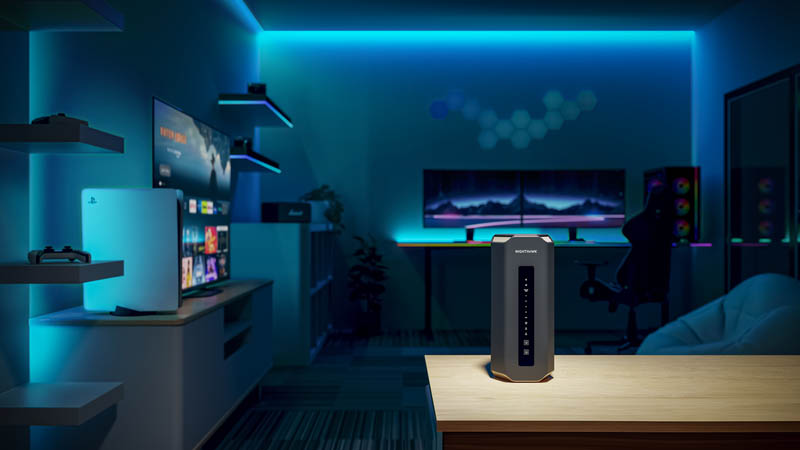
A traditional router is a singular device that delivers a reliable WiFi signal within a limited range. Many WiFi routers are often integrated into an Internet Service Provider modem/router combo device. Many users choose to upgrade their ISP WiFi with an aftermarket Router. Routers signals can weaken over distance and face interference from your home’s layout, construction materials, or other electrical devices. This often leads to dead zones where the WiFi signal is poor or non-existent. A standalone router acts as a single source, so areas with low signal can only be covered from one direction with no overlap. While traditional ISP routers work well for small homes and apartments with only a few WiFi-connected devices, they have their limitations.
Routers + Extenders
To fill in these WiFi signal gaps, WiFi extenders are often used along with traditional routers. This setup can certainly help extend WiFi range, but it may occasionally lead to inconsistencies due to potential performance mismatches or interference between the router and extenders. This can result in buffering, lower streaming quality, or intermittent connections, especially when a device is connected to the extender instead of the main router.
If you’re looking for a more seamless and reliable WiFi experience, especially with high-speed internet plans, Mesh WiFi technology offers a robust solution. By integrating mesh routers and satellites that are designed to work together, you can maximize your ISP’s potential and enjoy consistent, high-quality WiFi throughout your home. For more on Mesh vs Extenders visit this comparison article.
Mesh WiFi Technology to the Rescue

Mesh WiFi systems, consisting of a main mesh router and one or more mesh satellites, provide the best WiFi solution for seamless coverage throughout your home. Unlike traditional routers paired to an extender, these systems use a single SSID (network name) and are designed to eliminate dead spots by ensuring strong, no-slowdown links between the router and satellites. This seamless WiFi allows devices like laptops, iPads, smartphones, and gaming consoles to automatically connect to the strongest signal as you move around.
For a detailed overview of “How Mesh WiFi Works?” visit our companion article.
Additionally, mesh systems can handle more total device connections, with satellites sharing the load during busy events like birthday parties or family gatherings. Mesh systems are also highly flexible and expandable, allowing for easy placement and future scalability. So – if you’re looking for a future-proofed internet solution with consistent and reliable coverage – a mesh WiFi system is your best bet.
Mesh WiFi vs Router Performance – How to Choose?
If you live in a small space, a traditional router can give you the WiFi coverage you need. But, if you live in a large home, a traditional router could struggle to provide the WiFi signal required. If your home (including outside grounds) is more than 3,000 square feet, or you live in a “Challenging WiFi Environment” consider Mesh WiFi with satellites so you can roam freely throughout your home and connect to the Internet without latency or WiFi dropout issues. Even if your home is less than 3,000 square feet a Mesh system is often a good choice as it can cover all rooms with a more reliable high-quality WiFi signal.
Works With 2024 has come to an end, but you can catch every minute of this year’s Virtual event on-demand any time here.
It’s hard to believe that this was our fifth Works With event, which we created specifically to provide a platform for IoT developers and manufacturers to learn, network, and exchange ideas. For just a bit of perspective, the first Works With took place at the height of the pandemic, and the world was changing before our eyes. The way our industry – and the world – has adapted and evolved in that time is hard to describe, but the role connectivity has played in that transformation is everywhere you look.
Creating the Works With agenda and content is a long process of assessing customers’ technical market training needs and providing industry-leading content to satisfy this need. We take excruciating care to plan topics, sessions, and speakers that provide practical value for IoT developers, bring together the growing technology ecosystems, and foster collaboration and interoperability. This year’s programming carried that mission forward with technology-specific tracks focusing on Wi-Fi, Bluetooth, LPWAN, Matter, Compute, and IoT Trends. But one of the most significant changes this year was that we hosted four live, in-person events in Austin, San Jose, Hyderabad, and Shanghai. Taking Works With on the road gave us the opportunity to bring these topics to our customers and partners and connect with the global community of innovators who share our passion for connecting devices and improving lives.
We’re extremely proud that today, Works With is considered a can’t-miss industry event and is still the only place wireless developers can access this level of hands-on training from the best and brightest in the industry at no cost and without traveling. We’re also happy to provide every session and keynote from Works With 2024 on-demand. Check out the highlights:
Day 1 Keynote: Connecting the Future: How AI is Accelerating the Next Wave of IoT Evolution
Silicon Labs CEO Matt Johnson and CTO Daniel Cooley, along with David Niewolny, director of business development for healthcare/medical at NVIDIA, discuss the relationship between AI and IoT.
Day 2 Keynote: Works With 2024: IoT Challenges & Solutions Around the World
We announce the Matter Challenge winner, which was a joint program with Arduino and Mouser, followed by Adam Scraba, director of product marketing at NVIDIA, Niranjan Patil from Samsung Research India, and a panel with Jamie Gomez, the CEO of Habitat for Humanity of Metro Denver, about how IoT is delivering on its promise to transform lives by tackling pressing challenges around the world.
Now that Works With 2024 is in the books, it’s time to turn our attention to next year. We’ll never have more time to prepare than right now, and with the recent release of Matter 1.4, continued innovation in Bluetooth, Wi-Fi, and other foundational technologies that are driving our industry forward, we better get started.
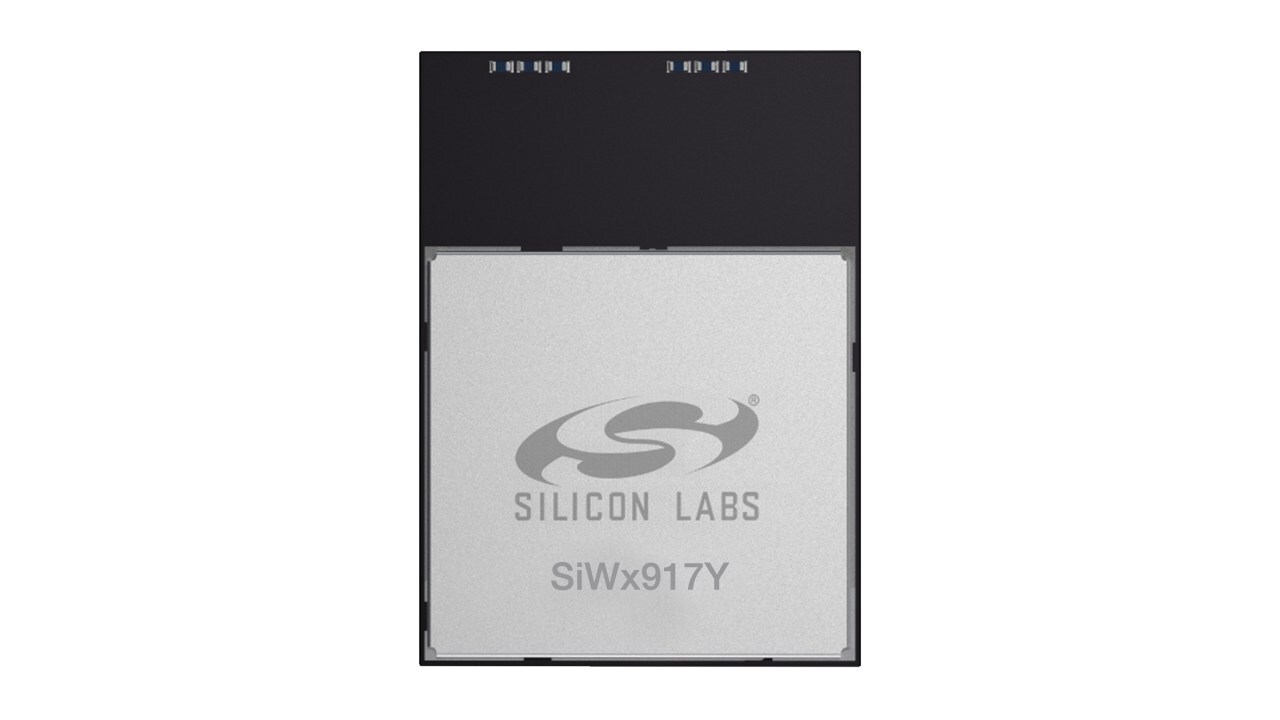
AUSTIN, Texas, Dec. 3, 2024 /PRNewswire/ — Today Silicon Labs (NASDAQ: SLAB), a leader in secure, intelligent wireless technology for a more connected world, announced the SiWx917Y ultra-low power Wi-Fi® 6 and Bluetooth® Low Energy (LE) 5.4 modules.
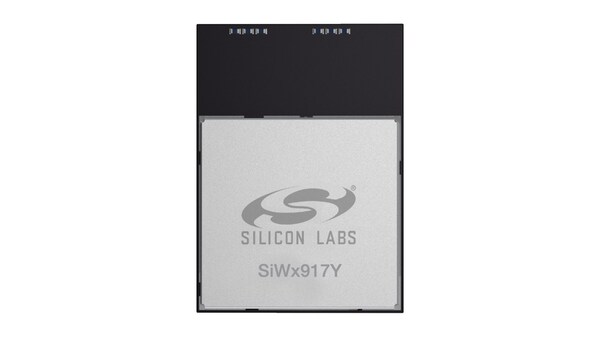
As an extension of the successful Series 2 platform, these modules are designed to help device makers streamline the complex development and certification process for Wi-Fi 6 devices. The new SiWx917Y modules deliver breakthrough power efficiency while providing robust wireless connectivity, advanced security, and a full-featured application processor, reducing design challenges, product size, costs, and time-to-revenue for device makers. Pre-certified for global regulatory standards and equipped with an optimized antenna, the SiWx917Y modules eliminate the need for lengthy RF optimization and certifications.
“Wi-Fi for IoT has evolved significantly, creating exciting opportunities for innovation. To help end device makers accelerate their full potential, we developed the SiWx917Y Wi-Fi 6 modules,” announced Irvind Ghai, Vice President of Wi-Fi Solutions at Silicon Labs. “These pre-certified modules offer a streamlined solution, enabling manufacturers to easily integrate cutting-edge connectivity into their devices and focus on actual solution differentiation while reducing development costs.”
The modules are ideal for low-power Wi-Fi applications across industries, including smart homes, building automation, healthcare devices, industrial sensors, and asset tracking.
Versatile and Efficient SiWx917Y Modules Deliver Cutting-Edge Wireless Capabilities
The SiWx917Y modules integrate Wi-Fi 6, Bluetooth LE 5.4, an ARM Cortex-M4 application processor, a wireless network processor, large memory, and a rich set of peripherals in a compact 16 x 21 x 2.3 mm package. Key features include:
The modules’ intelligent power management enables connected sleep mode with as low as 20μA current with Target Wake Time (TWT) and 60-second keep-alive interval. This allows IoT devices like smart locks, thermostats, smart cameras, video doorbells, and industrial sensors to achieve multi-year battery life. The integrated ARM Cortex-M4 processor, large memory, and peripherals also enable sophisticated edge processing capabilities.
The module supports two operational modes: SiWG917Y for SoC (Wireless MCU) mode so customers can execute all application code in the Module’s ARM Cortex-M4 core, and SiWN917Y for NCP mode (Network Co-processor) so customers can execute their application on a separate MCU while the Wi-Fi module manages communication functions.
Meeting the Growing Demands for IoT Connectivity
The explosive growth of IoT devices is driving the need for more efficient and secure Wi-Fi solutions. With Wi-Fi-enabled low-power IoT applications increasing by up to one billion units annually, device makers face the challenge of integrating robust connectivity while addressing concerns about energy efficiency, security, and ease of development.
Availability
The SiWx917Y modules are now generally available for purchase. For more information on Silicon Labs’ SiWG917Y and SiWN917Y Wi-Fi 6 and Bluetooth LE modules, click here.
About Silicon Labs
Silicon Labs is a trailblazer in wireless connectivity for the Internet of Things. Its integrated hardware and software platform, intuitive development tools, and unmatched ecosystem support make Silicon Labs the ideal long-term partner in building advanced industrial, commercial, and home and life applications. Silicon Labs leads the industry in high performance, low power, and security with support for the broadest set of multi-protocol solutions.
SOURCE Silicon Labs

A trip to any major cybersecurity conference reveals vendors promoting the latest, cutting-edge cybersecurity solutions, and many people willing to pay top dollar for them. But a closer look shows that the average user, and even some small businesses, are being left behind.
The majority of cybersecurity tools are created for the industry itself, which only exacerbates the cybersecurity skills shortage that’s been going on for years. Many of these solutions are so complex that a cybersecurity staff needs years of experience and expertise to operate them. Small businesses are at a significant disadvantage here, which only increases their security risk. The expertise required also creates a higher barrier to entry for cybersecurity jobs. It’s similar to a drugstore offering only prescription medications when most customers need over-the-counter (OTC) options.
From the devices we carry and the buildings where we work to the millions of terabytes transmitted around the world every day, our world runs on wireless technology. With the arrival of Wi-Fi 7, a new era of connectivity is upon us, promising unprecedented speed, reliability, and innovation. Choosing the right partner to navigate this new chapter is crucial. Here is where Cisco stands out as your ideal choice.
Key features of Wi-Fi 7 and solutions from Cisco
1. Increased speed and capacity
Cisco Wi-Fi 7 solutions deliver speeds up to 46 Gbps, nearly four times faster than Wi-Fi 6, ensuring seamless performance for bandwidth-heavy applications like augmented reality (AR) and virtual reality (VR). This capacity allows for rich, lag-free user experiences.
2. Smart, immersive spaces with Cisco Spaces
Included with every wireless license, Cisco Spaces turns Wi-Fi 7 into the foundation of intelligent, connected spaces. With AI-powered 3D mapping, IoT services, and real-time asset tracking, businesses can create immersive experiences—think hospitals tracking critical equipment or offices guiding employees to available meeting rooms.
3. A reimagined, simplified licensing model
Cisco Networking Subscription introduces a streamlined approach to deploying and managing Wi-Fi 7 networks. This new model unifies network management, simplifying operations and allowing organizations to adapt seamlessly as their network needs evolve.
4. Multi-link operation (MLO)
A standout feature of Wi-Fi 7, MLO allows devices to use multiple frequency bands simultaneously. This capability enhances reliability and reduces latency, providing a consistent, high-performance experience. Cisco Wi-Fi 7 solutions leverage MLO to set a new standard for wireless networks.
5. Enhanced security across all bands
Cisco Wi-Fi 7 enforces advanced security protocols, moving beyond outdated encryption standards to reduce vulnerabilities and ensure your network remains secure and resilient.
Unique innovations for Wi-Fi 7
Cisco Wi-Fi 7 access points are engineered with the future in mind, ensuring that your network infrastructure meets current demands while being adaptable for the coming years. Our unified subscription and hardware provide unmatched flexibility, enabling a seamless wireless management experience across cloud, on-premises, and hybrid environments.
Moreover, the integration of ultra-wideband (UWB) radio technology allows Cisco Wi-Fi 7 access points to offer high-speed data transfer and centimeter-level location precision. This feature supports critical applications in logistics, healthcare, and manufacturing, enabling precise asset tracking and advanced location analytics.
Transformative potential spanning industries
Cisco Wi-Fi 7 solutions can unlock myriad new possibilities, with potential for:
A vision for a more connected world
These innovations and features contribute to a larger vision that Wi-Fi 7 will help bring to life: a world that is more connected, secure, and capable of delivering enhanced digital experiences. Cisco’s commitment to staying ahead of the curve with advanced technology, simplified operations, and robust security makes it the trusted partner for businesses looking to embrace the future of wireless connectivity.

London, UK, December 3, 2024 — The Wireless Broadband Alliance (WBA), the global industry body dedicated to improving Wi-Fi standards and services, has today released an updated “Operator Managed Wi-Fi (OMWi): Reference Architecture and Requirements” technical report. This update includes enhanced technical and operational requirements and introduces open-source, OMWi-compliant implementations from partners such as the prpl Foundation, and RDK-B. It delivers a comprehensive framework for deploying and managing residential Wi-Fi, addressing global operator needs through the integration of key standards and open-source platforms.
The OMWi architecture integrates key industry standards, including Wi-Fi Alliance’s Wi-Fi EasyMesh™, Wi-Fi CERTIFIED Data Elements™, and Broadband Forum’s User Services Platform (USP) Data Models TR-369 and TR-181. These standards collectively ensure that the architecture is scalable and interoperable, guiding operators in engaging with equipment vendors on shared specifications.
The updated framework concludes Phase 2 of the OMWi program, defining a standardized reference architecture that streamlines Wi-Fi management by unifying data collection, network configuration, and optimization processes across systems, reducing dependence on fragmented, proprietary solutions.
Key industry players such as Airties, Nokia, Deutsche Telekom, prpl Foundation, MaxLinear, CableLabs, LGU+, RDK, and CommScope have actively demonstrated solutions based on the OMWi architecture, contributing to the development of a compliance mechanism.
The OMWi Framework addresses key needs for deploying and managing residential Wi-Fi to enable operators better manage the residential Wi-Fi experience for their customers:
Tiago Rodrigues, CEO of the Wireless Broadband Alliance, said: “The updated OMWi framework is a key step forward in helping operators better manage the residential Wi-Fi experience for their customers, which has become the principal way devices access the internet in the home. Introducing open-source OMWi compliant implementations will drive greater cross industry interoperability for data collection, remote management and mesh formation. The move away from countless proprietary standards will be cost-effective for operators and improve the end-user experience.”
Metin Taskin, WBA Board Member and CEO & founder of Airties, added: “Airties is proud to help lead this working group of industry leaders and share our expertise deploying operators’ managed Wi-Fi experiences across both RDK and prpl communities. This OMWi 2.0 report specifies the industry standards and open-source solutions to simplify integrations and deployments, enabling ISPs to focus more of their efforts on improving the quality of experience for their broadband customers. Ultimately, we recognize that is the key for operators to improve customer satisfaction, lower churn, reduce expenses, and increase revenues.”
Pedro Caldeira dos Santos, Executive Head of Broadband Products and Services, remarked:
“Deutsche Telekom is proud to contribute to the OMWi initiative, which marks a transformative step in the evolution of residential Wi-Fi. By integrating open standards and fostering cross-industry collaboration, the OMWi framework empowers operators to deliver a seamless, high-quality Wi-Fi experience to millions of customers worldwide. This effort underscores our commitment to innovation, interoperability, and ensuring that our customers enjoy the best in connectivity solutions.”
Dr. Leonard Dauphinee, VP & CTO of Broadband Group at MaxLinear, highlighted: “MaxLinear commends WBA’s efforts to coalesce multiple open standards from the broadband industry into a cohesive reference architecture for Operator-Managed Wi-Fi. MaxLinear is helping to commonize WBA’s architecture by developing a fully compliant open-source implementation of OMWi in the prpl Foundation.”
Justin Doucette, Nokia Head of Wi-Fi, added: ”Nokia is proud to co-chair the WBA OMWi Reference Architecture working group to fulfill the needs of CSPs as it relates to open standards in the Managed Wi-Fi market. Nokia recently deployed the world’s first production version of Corteca Home Controller with Singtel that supports end-to-end Wi-Fi management and optimization based on OMWi. By implementing open standards, Corteca allows CSPs to work in a multi-vendor environment with faster innovation cycles, to differentiate, improve user experience, increase ARPU, and reduce operating costs.”
Phase 3 to offer certification program for vendors and service providers
In Phase 3, expected to begin in 2025, WBA plans to launch a compliance program that will include an expanded telemetry component and an endorsed testing suite. This suite will offer a self-service test kit or authorized lab testing, providing vendors and service providers with an accessible path to OMWi certification. Certified organizations can assure customers of consistent, reliable functionality across OMWi-compliant networks, solidifying OMWi as an industry standard.
Learn how OMWi provides a comprehensive framework for deploying and managing residential Wi-Fi by downloading “Operator Managed Wi-Fi: Reference Architecture and Requirements” technical report, and visiting the WBA Resources pages of the Wireless Broadband Alliance website.
About the Wireless Broadband Alliance
Wireless Broadband Alliance (WBA) is the global organization that connects people with the latest Wi-Fi initiatives. Founded in 2003, the vision of the WBA is to drive seamless, interoperable service experiences via Wi-Fi within the global wireless ecosystem. WBA’s mission is to enable collaboration between service providers, technology companies, cities, regulators, and organizations to achieve that vision.
WBA undertakes programs and activities to address business and technical challenges, while exploring opportunities for its member companies. These initiatives encompass standards development, industry guidelines, trials, certification, and advocacy. Its key programs include NextGen Wi-Fi, OpenRoaming, 5G, IoT, Smart Cities, Testing & Interoperability, and Policy & Regulatory Affairs, with Member-led Work Groups dedicated to resolving standards and technical issues to promote end-to-end services and accelerate business opportunities.
Membership in the WBA includes major operators, service providers, enterprises, hardware and software vendors, and other prominent companies that support the ecosystems from around the world. The WBA Board comprises influential organizations such as Airties, AT&T, Boingo Wireless, Boldyn Networks, Broadcom, BT, Charter Communications, Cisco Systems, Comcast, HFCL, Intel, Reliance Jio, Telecom Deutschland, and Turk Telekom.
New WiFi 7 routers provide faster speeds, more coverage no matter how many devices are connected to a home WiFi network
Kirkland, Washington (November 19, 2024) – Ziply® Fiber, home to America’s Fastest Home Internet, today announced the introduction of the most advanced home WiFi experience available – WiFi 7 – now ready for installation across the company’s entire four-state, fiber-optic footprint. Starting today, along with the best network, new customers who sign-up for Ziply Fiber’s 1, 2, 5 or 10 Gig service may lease the company’s new WiFi 7 TP-Link router which will provide the fastest WiFi available. Customers will also enjoy the bonus of knowing this new service from Ziply Fiber helps solve one of the biggest pain points in American households today.
According to the recent “How Americans are Using the Global Internet” study conducted by OnePoll, 70 percent of consumers said they experience connection issues with their home WiFi networks and one-third of respondents reported that an unreliable WiFi connection is the biggest cause of stress at home. Today’s introduction of WiFi 7 from Ziply Fiber helps solve both of those issues.
“Ziply Fiber’s new WiFi 7 experience is a gamechanger when it comes to speed, capacity, latency and overall performance for home WiFi,” said Harold Zeitz, CEO of Ziply Fiber. “People have been saying they want to connect more devices, have better coverage throughout their homes and get faster speeds over WiFi, and today they can have all of that and more on the nation’s fastest and most reliable network.”
Whole Home WiFi Now Included
In addition, Ziply Fiber’s Whole Home WiFi service is now included with the router lease for all its multi-gig plans, just as it has been with its Gig, Fiber 300 and Fiber 100 plans. Whole Home WiFi ensures a quality WiFi signal and internet connection throughout a customer’s entire home. Ziply Fiber’s technicians perform a home WiFi check to assess the strength of WiFi service and look for any WiFi dead zones during installation. After the assessment, the technician will install the WiFi 7 router in the best spot to provide the customer with optimal WiFi coverage in their homes.
WiFi 7 Delivers Speed, Capacity and Performance
WiFi 7 delivers speeds faster than both WiFi 6 and WiFi 6E devices. The new WiFi 7 router options support symmetrical speeds up to 10 Gbps for wired connections and up to 3.5 Gbps over WiFi.
Ziply Fiber’s new WiFi 7 service also allows customers to connect more devices simultaneously without slowing down or experiencing lag, meaning increased capacity with lower latency, which is optimal for streaming, gaming, video calls and more.
WiFi 7 enhances performance overall, especially in dense environments where many networks overlap. It reduced interference and boosts signal quality, leading to better coverage throughout the home. WiFi 7 is particularly effective in larger homes, those with unusual layouts or more than two stories, or that have interior brick walls, which are normally susceptible to WiFi dead zones.
“As one of the first to bring affordable Wi-Fi 7 routers to market, we are pleased to collaborate with Ziply Fiber to deliver the latest in wireless networking technology,” said Jeff Barney, President, TP-Link Systems Inc. “With more Wi-Fi 7-enabled devices entering the market, it’s vital that consumers have access to fast, reliable connectivity, without compromising on quality or cost.”
About Ziply Fiber
Ziply Fiber is home to America’s Fastest Home Internet – 50 Gig. Called “America’s undisputed leader as the fastest home internet provider” and “the fastest internet provider nationwide” by CNET, and “The Fastest ISP in the Northwest” by HighSpeedInternet.com, Ziply Fiber is a local, Northwest-based company headquartered in Kirkland, Washington, with major offices in Everett, Washington; Beaverton, Oregon; and Hayden, Idaho. Most of Ziply Fiber’s executive team, which consists of former executives from AT&T, CenturyLink, and Wave Broadband, have lived and worked in the Northwest for the majority of their careers. That local ownership and market familiarity is an important part of the company mindset and culture. Ziply Fiber’s primary service offerings are Fiber Internet and phone for residential customers, Business Fiber Internet and Ziply Voice services for small businesses, and a variety of Internet, networking, and voice solutions for enterprise customers. The company continues to support Ziply Internet (DSL) customers, and its TV customers in Washington and Oregon. A full listing of products and services can be found at ziplyfiber.com.
About TP-Link
Headquartered in the United States, TP-Link Systems Inc. is a global provider of reliable networking devices and smart home products, consistently ranked as the world’s top provider of Wi-Fi devices. The company is committed to delivering innovative products that enhance people’s lives through faster, more reliable connectivity. With a commitment to excellence, TP-Link serves customers in over 170 countries and continues to grow its global footprint.
About the Study
The “How Americans are Using the Global Internet” study was conducted by OnePoll on behalf of NETGEAR between November and December 2022 and surveyed more than 2,000 consumers across the United States on their experience with WiFi and connected devices in the home, what their online habits are, and which factors they view as important to maintaining a quality online experience. The survey was posed to OnePoll’s group of general population respondents and remained open until 2,000 survey responses were complete.
San Jose, Calif. – November 12, 2024 – NETGEAR®, Inc. (NASDAQ: NTGR), the leading provider of networking products that power businesses of any size, today announced the launch of Engage 2.0, a major upgrade to the powerful platform designed to streamline management of audiovisual (AV) networks. NETGEAR Engage™ 2.0 is free and available to download starting today.
The convergence of AV and IT environments and return of large-scale and mobile events and experiences continue to change the way AV systems are used, and the impact is significant. AV over IP brings complexity to commercial, broadcast, or residential installers when it comes to managing Ethernet switches, routers, and WiFi access points. For example, detecting Ethernet switches and access points deployed across a network requires a great deal of manual effort. Additionally, updating firmware on multiple devices is time consuming, and proper configuration of AV networks can be cumbersome. Now that the network is the central AV fabric, an improper setup can ruin the entire AV experience.
Given these challenges, a powerful central management system is critical. The new NETGEAR Engage 2.0, a free software download, provides a centralized and user-friendly way to manage AV networks. By providing AV network, router, and WiFi controllability under one platform, users gain more seamless configuration and management for any installation.
“With almost three decades of network leadership, we’re constantly innovating to simplify AV and WiFi connectivity and provide a more seamless management experience,” said Laurent Masia, Senior Director of Product Line Management, Managed Switches, at NETGEAR. “The new Engage 2.0 software delivers expansive, unified control features for even the most complex AV network installations.”
Engage 2.0 allows for effortless WiFi control in AV fixed installations with touch panels and tablets connecting to ad-hoc wireless networks, enhancing the control of AV endpoints across VLANs. For large events, the platform allows installers to create temporary WiFi guest networks to provide a robust WiFi solution for mobile studios or crews, ensuring guests stay connected. For residential settings, the enhanced capabilities streamline AV deployments allowing AV system integrators to manage both AV systems and home WiFi networks.
Additional Engage 2.0 WiFi features include:
To learn more, visit https://www.netgear.com/business/.
About NETGEAR, Inc.
Founded in 1996 and headquartered in the USA, NETGEAR® (NASDAQ: NTGR) is a global leader in innovative networking technologies for businesses, homes, and service providers. NETGEAR delivers a wide range of award-winning, intelligent solutions designed to unleash the full potential of connectivity and power extraordinary experiences. For businesses, NETGEAR offers reliable, easy-to-use, high-performance networking solutions, including switches, routers, access points, software, and AV over IP technologies, tailored to meet the diverse needs of organizations of all sizes. NETGEAR’s Connected Home products deliver advanced connectivity, powerful performance, and enhanced security features right out of the box, designed to keep families safe online, whether at home or on the go. More information is available from the NETGEAR Press Room or by calling (408) 907-8000. Connect with NETGEAR: Twitter, Facebook, Instagram and the NETGEAR blog at NETGEAR.com or NETGEAR Press Room or by calling (408) 907-8000.
©2024 NETGEAR, Inc., NETGEAR and the NETGEAR logo are trademarks and/or registered trademarks of NETGEAR, Inc. and/or its affiliates in the United States and/or other countries. Other brand and product names are for identification purposes only and may be trademarks or registered trademarks of their respective holder(s). The information contained herein is subject to change without notice. NETGEAR shall not be liable for technical or editorial errors or omissions contained herein. All rights reserved.
Source: NETGEAR-G